 BabyMeter
A modern baby tracker
Track everything for free.
Built for quick entry: log in one tap or use Siri when your hands are full. Add details with a swipe, then see the day at a glance and spot patterns over time.
For iPhone & iPad on iOS/iPadOS 26.2 or later
- Private by designNo ads, no tracking and no new account. Your log stays on your devices and in your private iCloud.
- The full iOS experience, freeWidgets, Siri, Live Activities, charts, full history, import and export are included—features many baby trackers put behind a paywall.
-
 Three Premium extras, $9.99 oncePersonalized sleep predictions, per-dose reminders and room for more caregivers. Everything else stays free, for good.
See what Premium adds →
Three Premium extras, $9.99 oncePersonalized sleep predictions, per-dose reminders and room for more caregivers. Everything else stays free, for good.
See what Premium adds →
See the day clearly
Check today’s totals, scan the timeline or zoom out to compare days and weeks.
Summary
Today at a glance
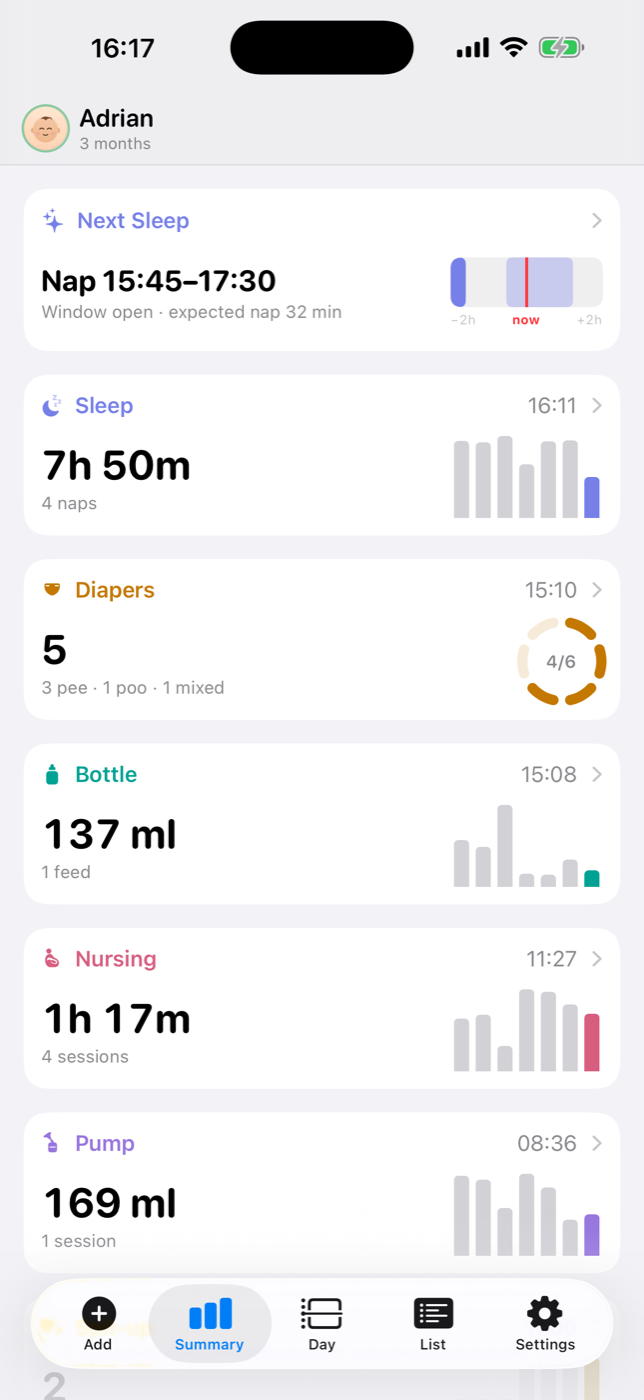
See today’s feeds, sleep, diapers and pumping totals beside the past week, plus the next expected sleep window. Open any tile for the full history.
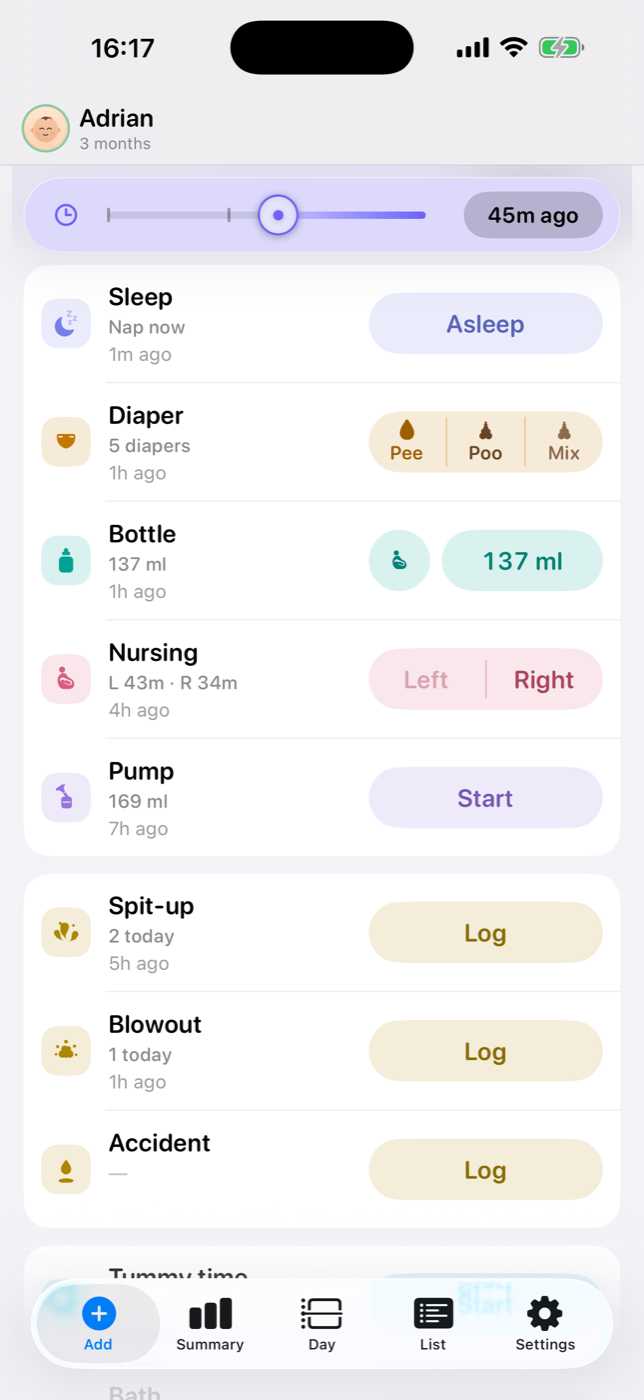
Backdating
Catch up on recent events
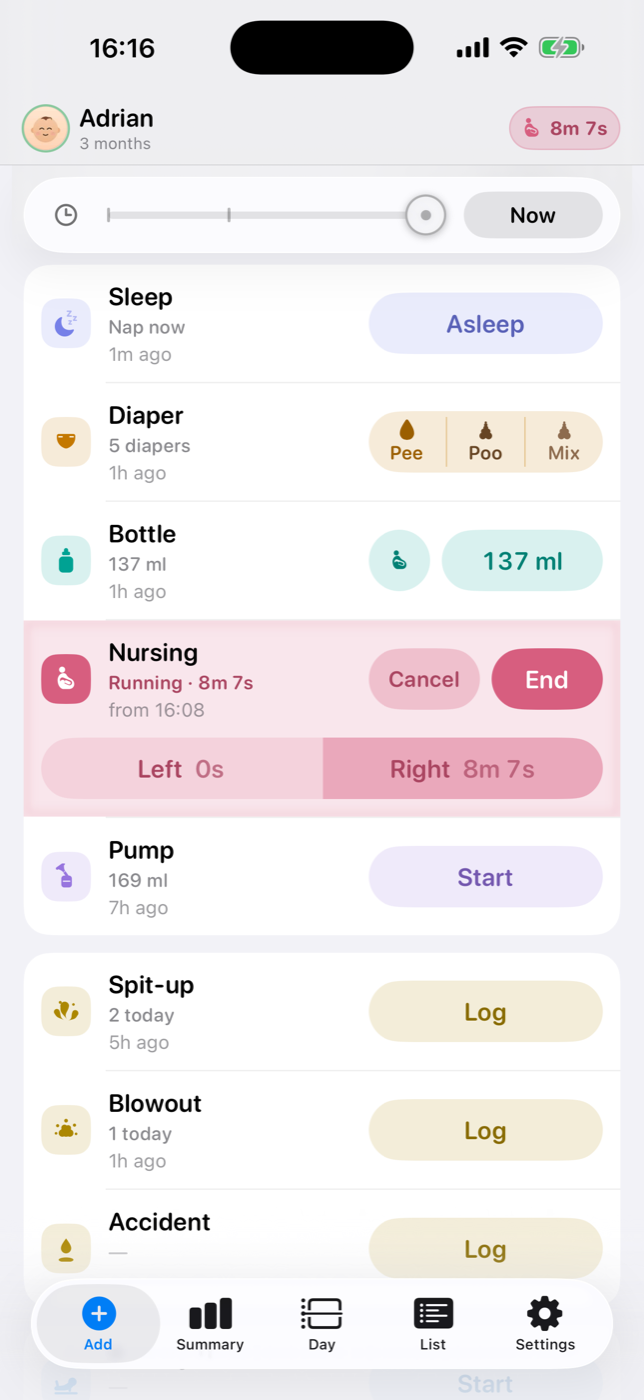
Slide the clock back, tap once and the event lands at the right time. The baby can come first; the recordkeeping can wait a little.
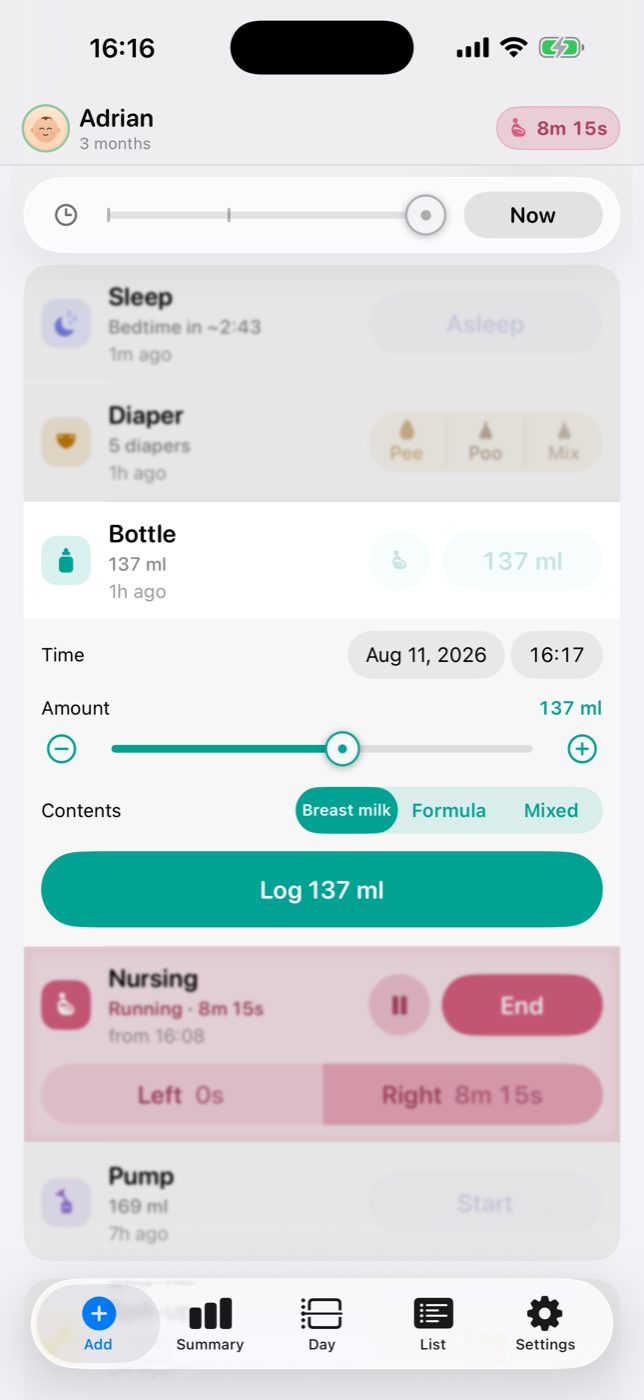
Detail
Add the details that matter
Swipe a card open for the amount, contents, side or anything else worth keeping. Leave it closed when a quick entry is enough.
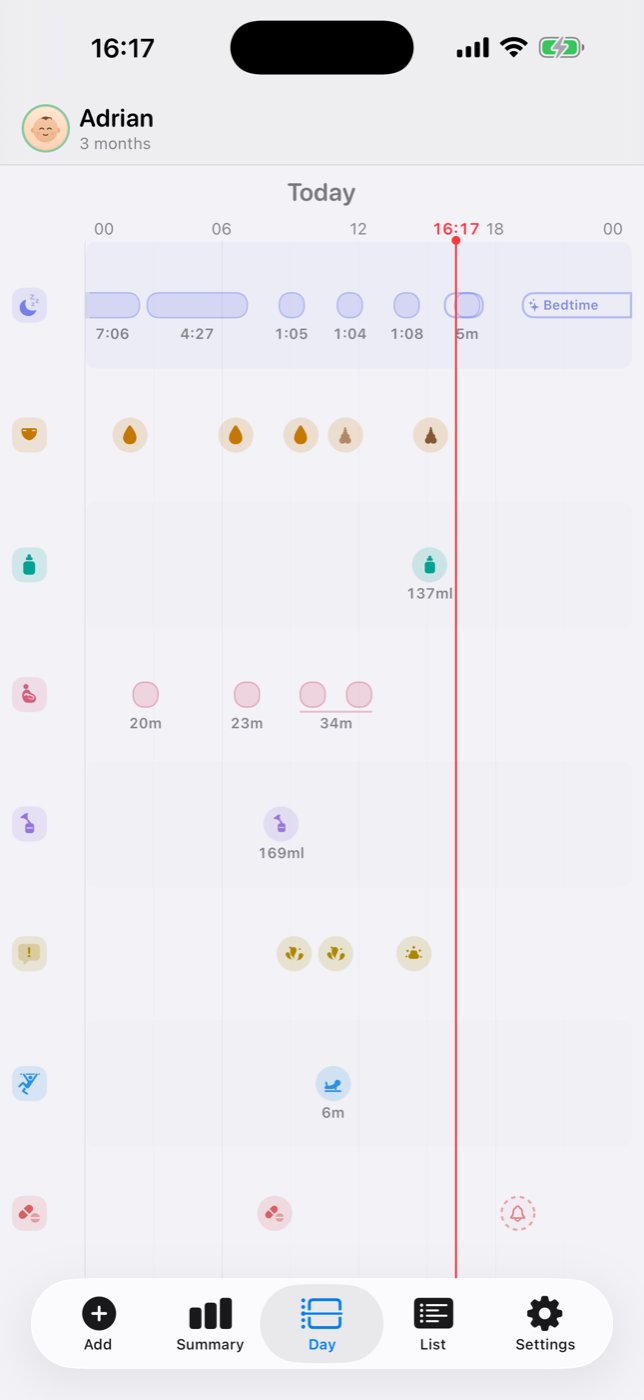
See every event in order
Feeds, naps and changes share one timeline, so you can see what happened and when.
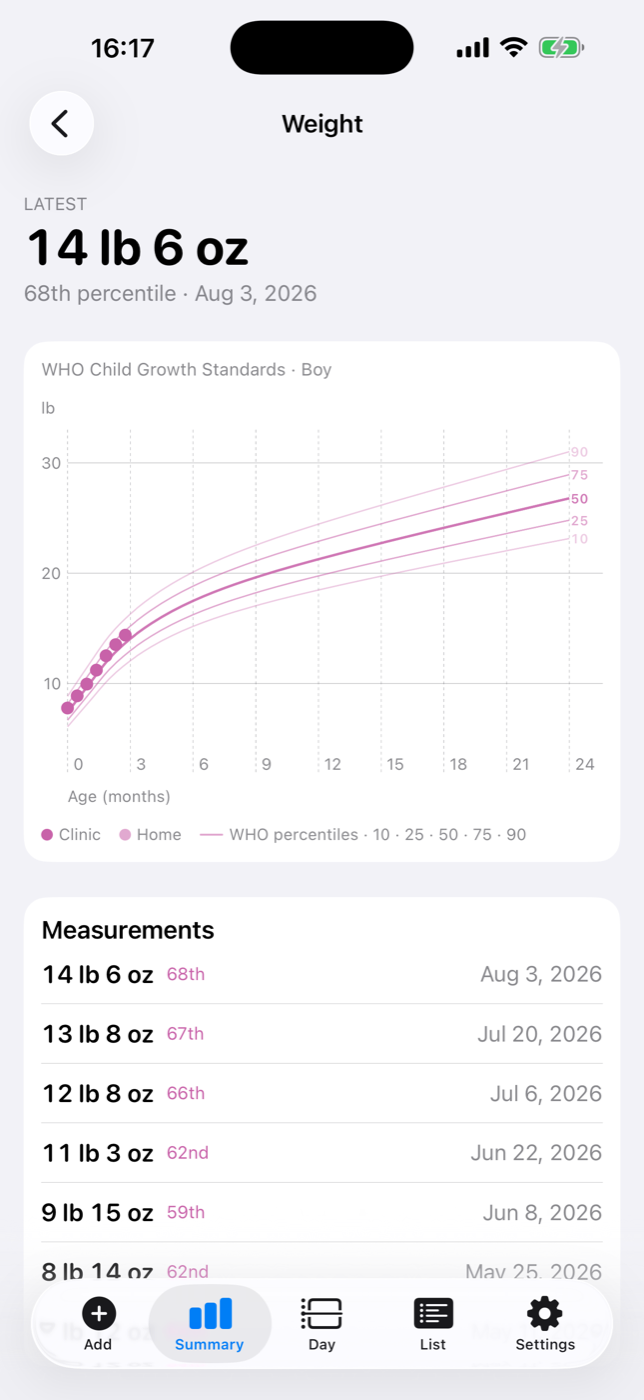
Growth, with context
Weight, height and head measurements against WHO percentile bands, automatically corrected for prematurity.
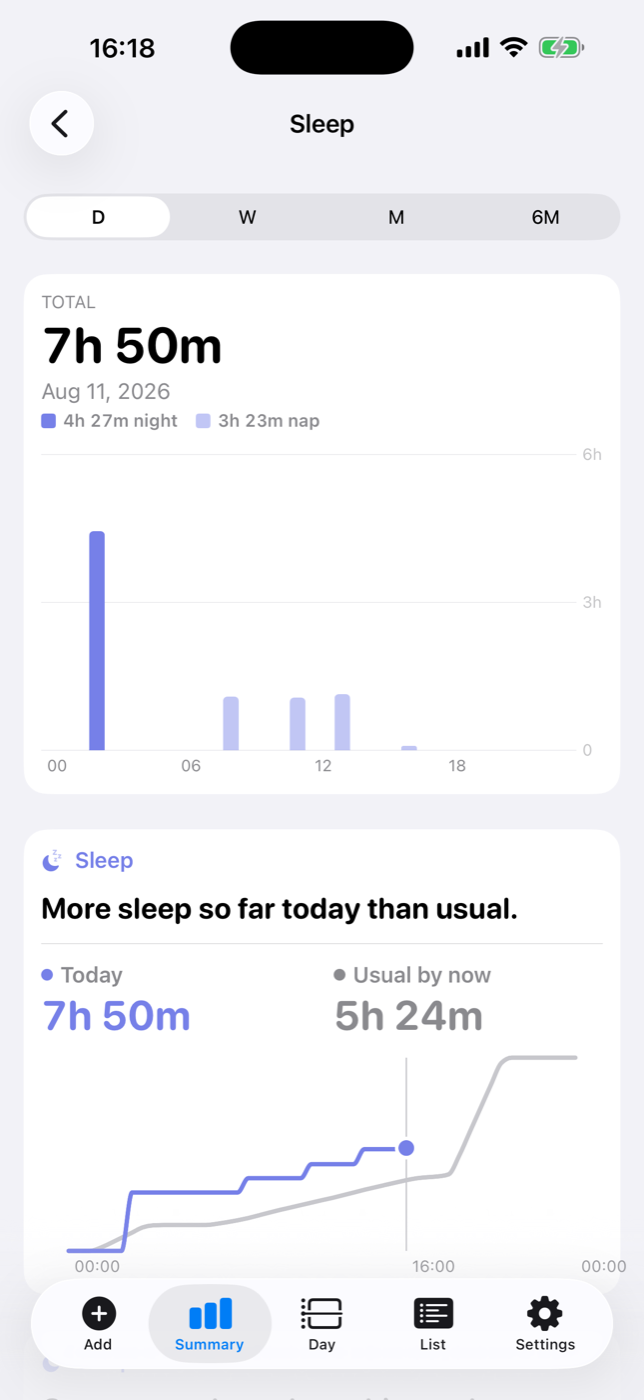
When sleep happened
See where each nap fell, not only the total. If a nap was logged in two pieces, BabyMeter counts it once.
History
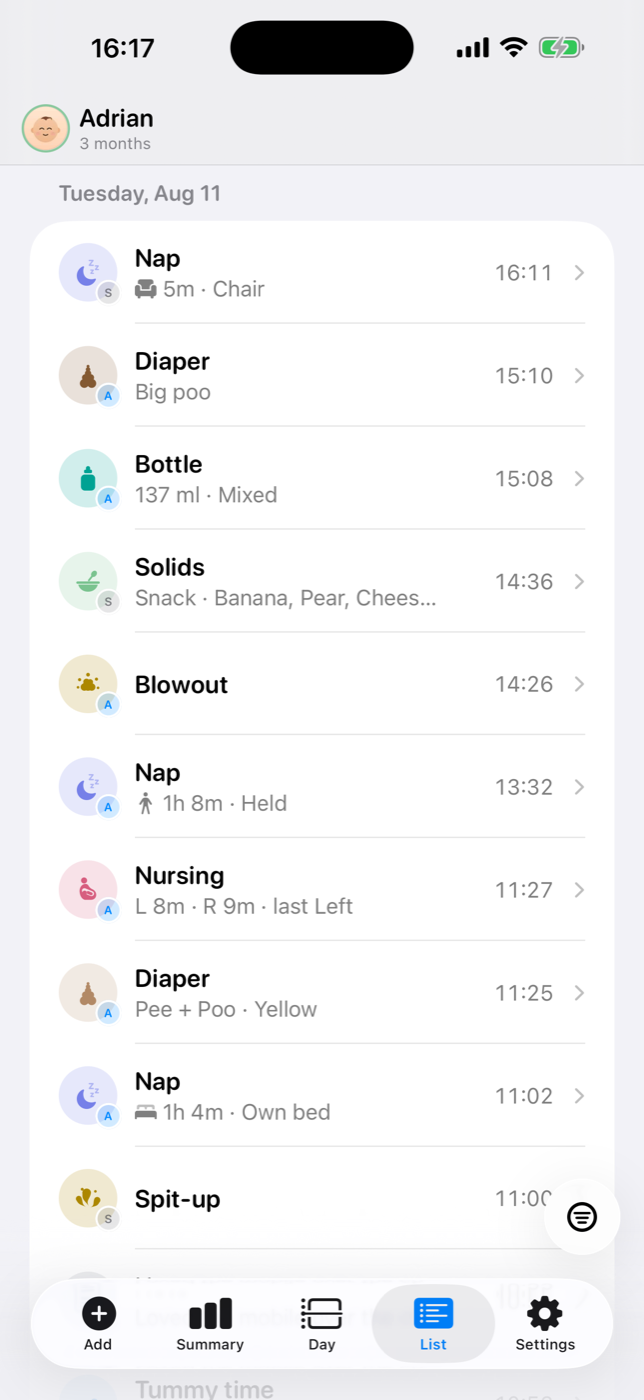
Find any entry and see who logged it
Filter the list by type, open an entry for the details or swipe to fix a mistake. In a shared family, every entry shows who added it.
Track what matters to your family
Each type has its own card, chart and history. Hide anything you don’t use, with a different setup for each child.
- Bottles
- Nursing
- Pumping
- Diapers
- Solids
- Activities
- Sleep
- Growth
- Temperature
- Medications
- Notes & photos
- Milestones
Compare days, weeks and months
See daily averages and compare today with your baby’s usual range for every type you track.
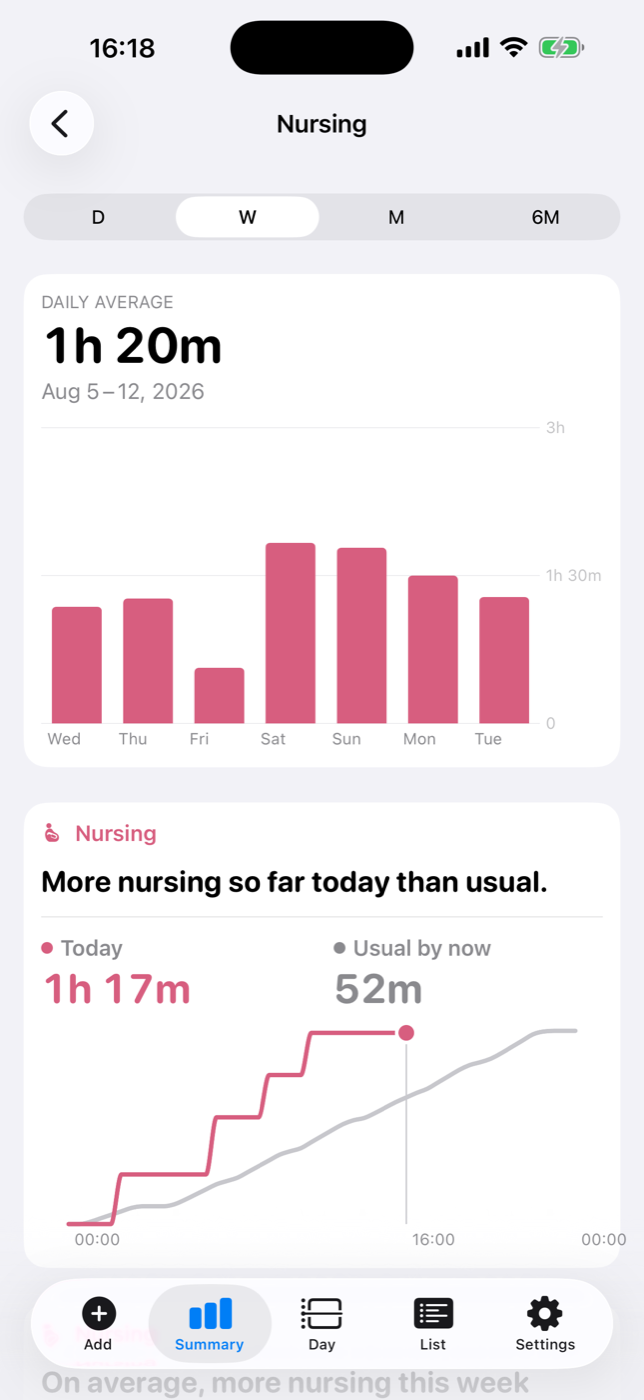
Nursing, side by side
Daily nursing time and the left/right balance, kept straight so you don’t have to remember.
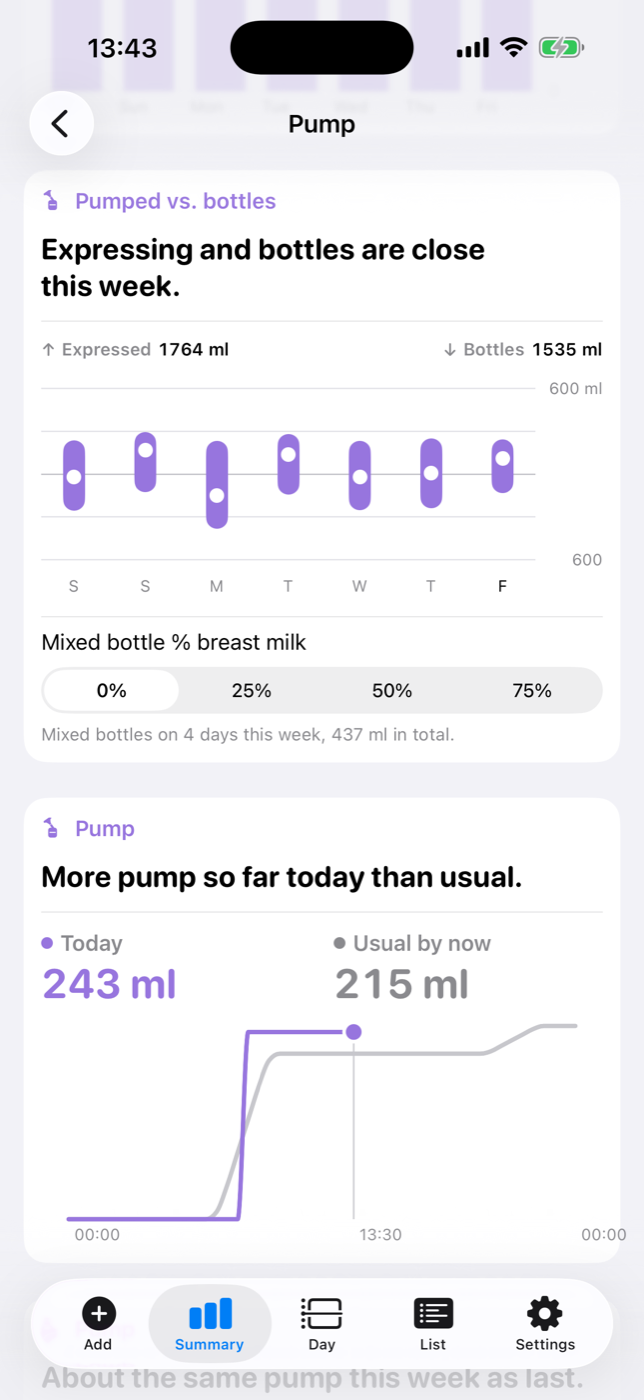
Pumped against bottles
What you expressed, day by day, beside what the bottles actually used. Pumping belongs to you rather than to one baby, so the bottles count across the whole family.
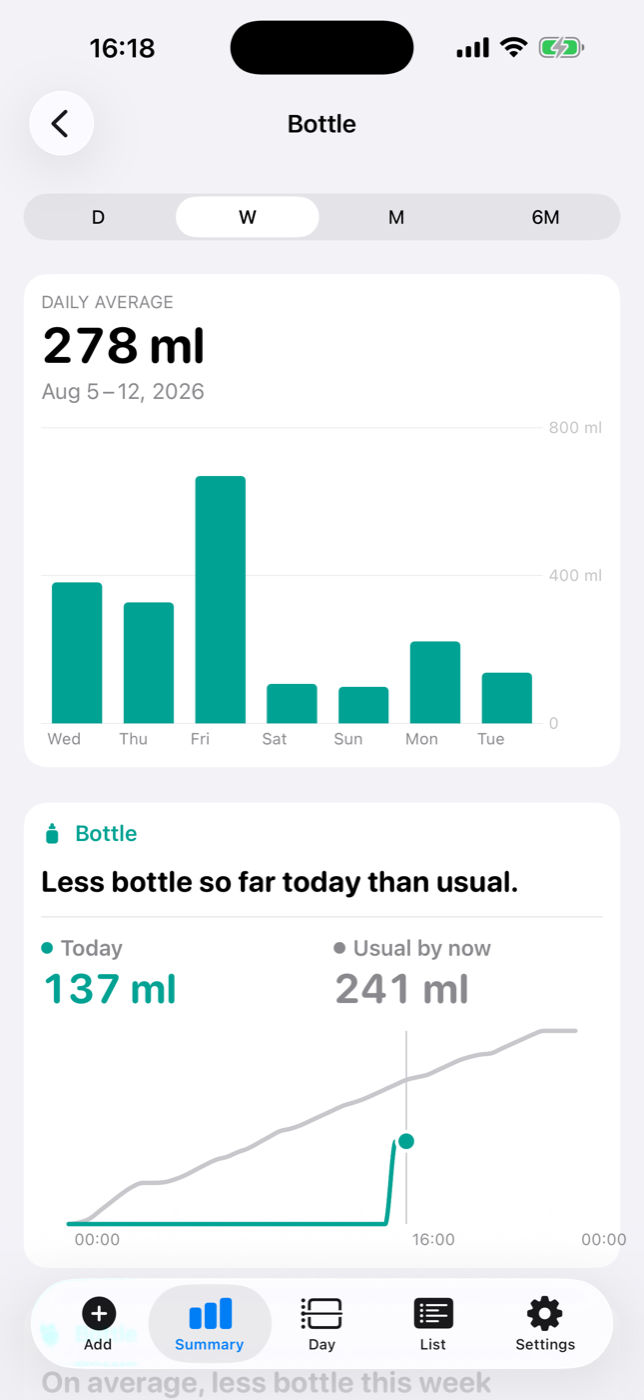
How much they took
See volume by feed or by day, in the units you use, with breastmilk and formula kept separate.
Use BabyMeter from the Home Screen, Lock Screen or Siri.
Widgets, Siri and Live Activities are all free. Check today’s numbers, start or stop a timer and log while your hands are busy.
Widgets
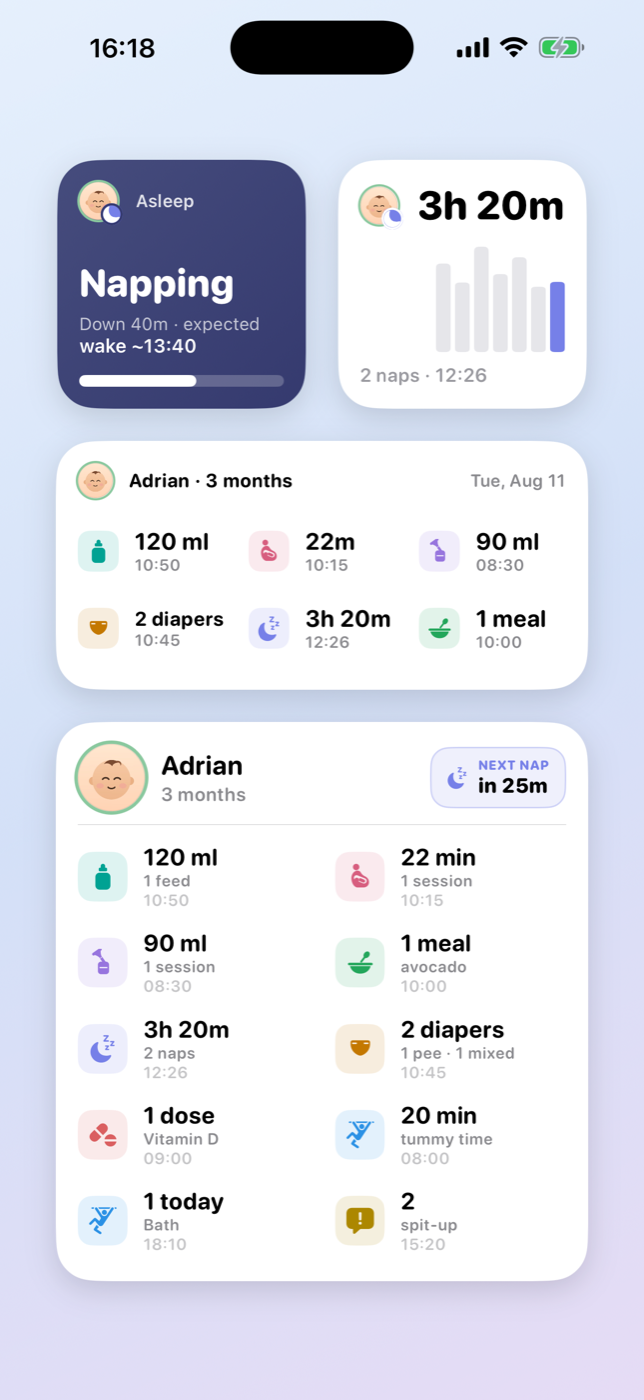
Today, right on the Home Screen
Keep feeds, sleep, diapers and the next nap in view with small, medium and large Home Screen widgets, plus separate Lock Screen glances. They update as your family logs, and open straight to the right place when tapped.
Siri & Shortcuts
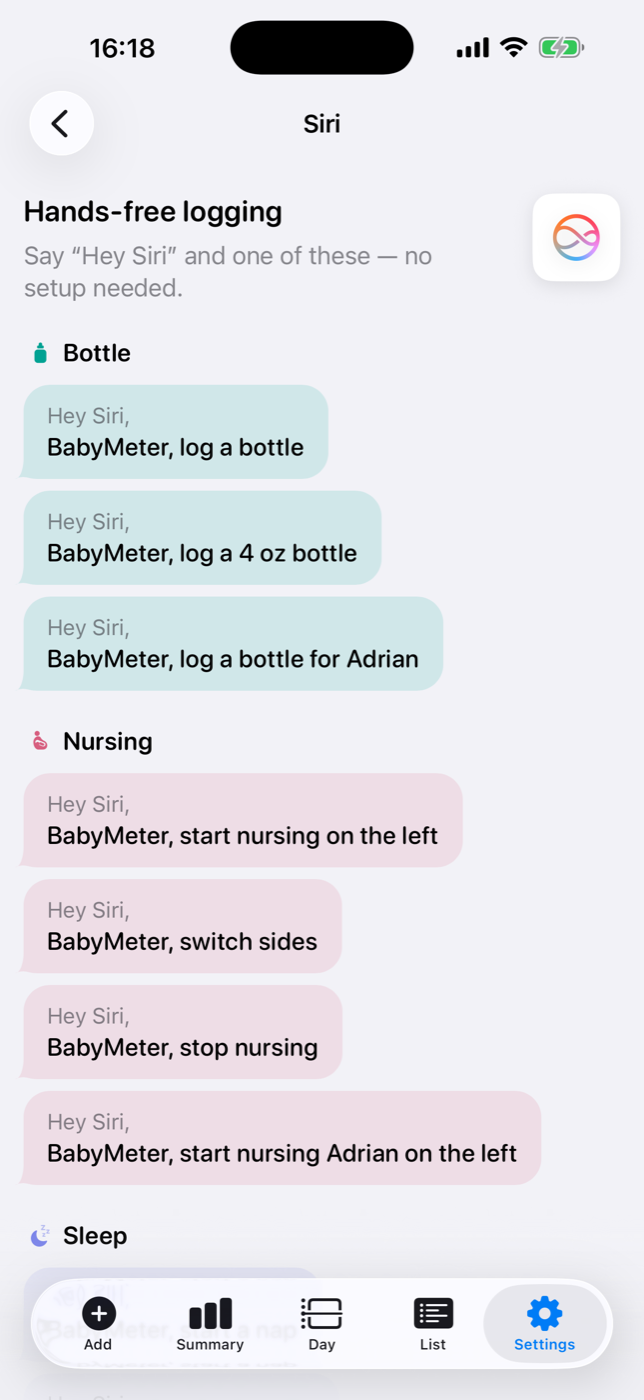
When both hands are busy
Say “BabyMeter, start nursing on the left.” The phrases are ready from the start—no shortcut to build, and no need to touch the phone.
Live Activities
Keep an eye on a running timer
Start a nap and the timer stays on the Lock Screen and in the Dynamic Island, along with the expected wake time. Stop it without unlocking your phone.
Included for everyone
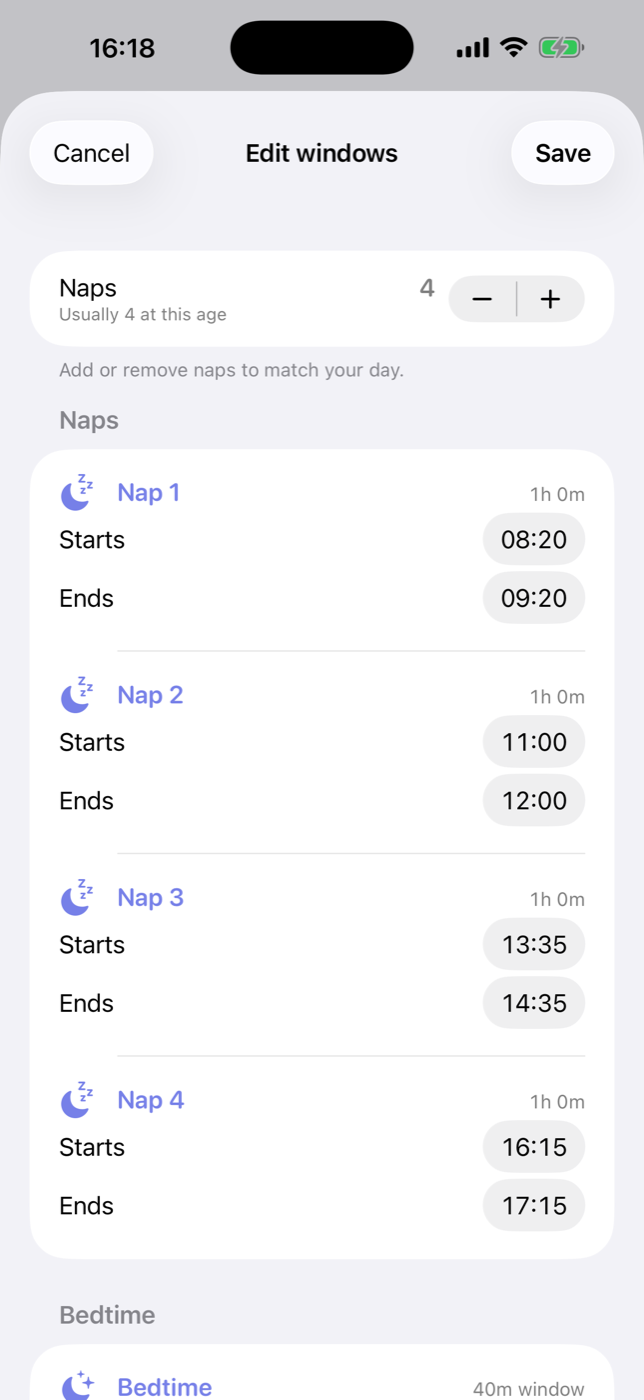
Free sleep windows you can adjust
BabyMeter includes nap and bedtime windows typical for your baby’s age. Adjust every window to fit the day your family actually keeps.
Three extras. One purchase.
Tracking stays free. The $9.99 unlock adds personalized sleep predictions, per-dose medication reminders and room for more than two caregivers. One purchase covers the family, and nothing renews.
- Every kind of tracking — feeds, sleep, diapers, pumping, solids, meds & more
- Widgets, Siri & Live Activities
- Growth & percentile charts, temperature
- Your full history, import & export
- A two-page PDF for pediatrician visits
- Age-based sleep windows you can edit to match your day
- One medication reminder a day, naming every medication at once
- Milestone reminders and stale-timer nudges
- Sleep predictions that learn from your baby — 14-day free trial
- A separate schedule for each medication, with a reminder for every dose
- Three or more caregivers
- One purchase for the whole family, with no renewal
The 14-day trial is for sleep predictions. Medication schedules and extra caregiver seats unlock when you purchase.
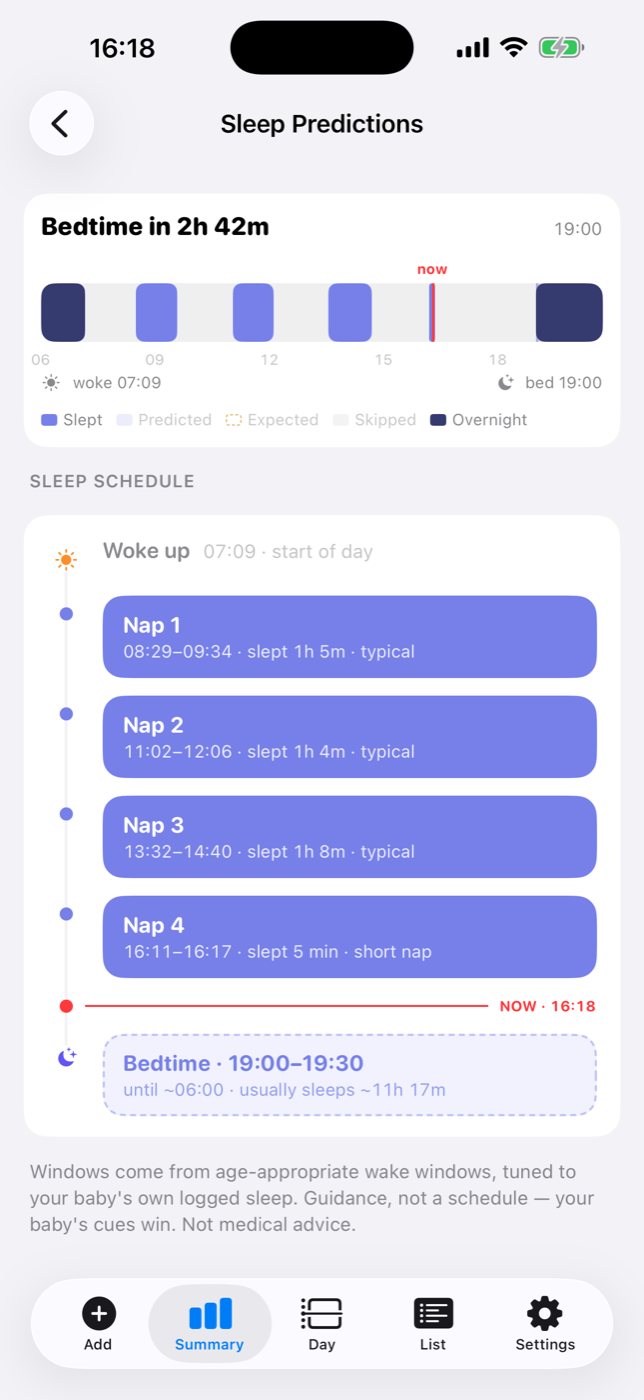
Personalized sleep predictions
See the day ahead—and each sleep window in detail
The day view shows when naps actually happened and what’s still expected. The schedule below gives each upcoming nap and bedtime its own window, tuned as BabyMeter learns from the sleep you log.
Includes reminders and a Lock Screen countdown. Try it free for 14 days from the two-month mark.
More caregivers
Bring in more help
You and one other caregiver can share for free. Premium makes room for a grandparent, nanny, sitter or anyone else helping with the day.
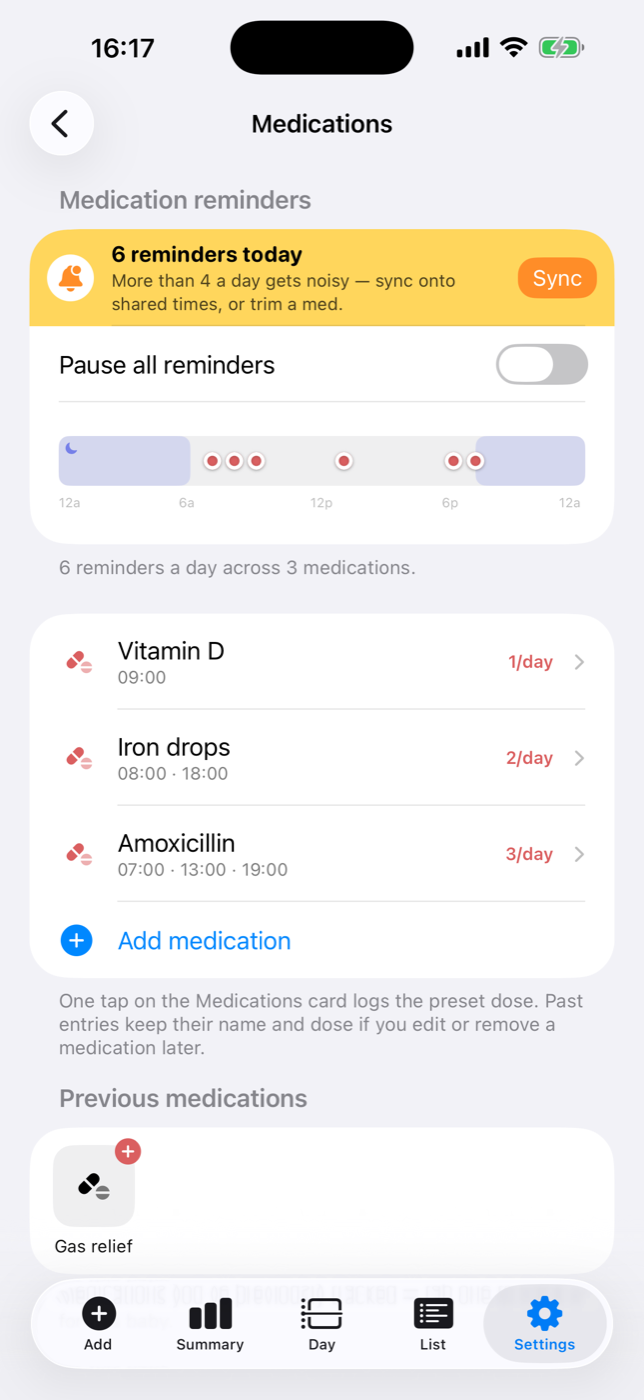
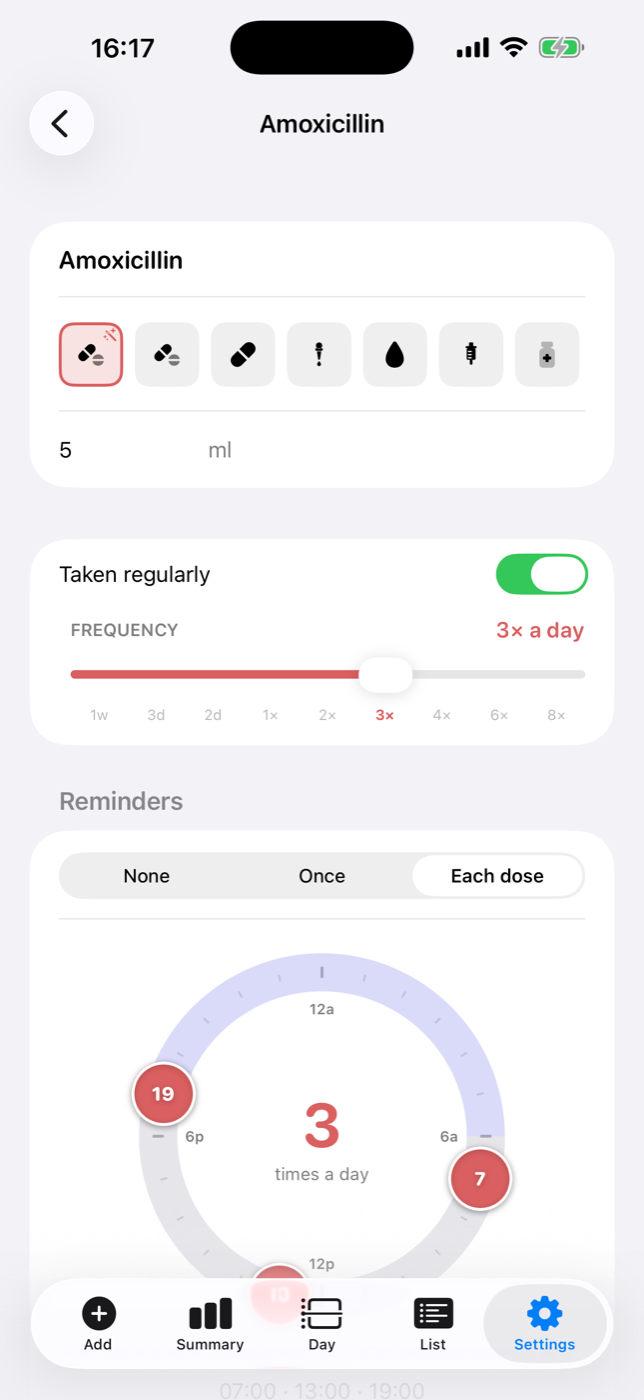
Per-dose reminders
Give each medication its own schedule
See every reminder across the day and set a nudge for each dose. Without Premium, BabyMeter sends one daily reminder listing everything still due.
Made for iPad
The whole day, with room to see it.
A permanent sidebar keeps every total and tracked type close. Move from the dashboard to the calendar, timeline or a single event without losing your place.
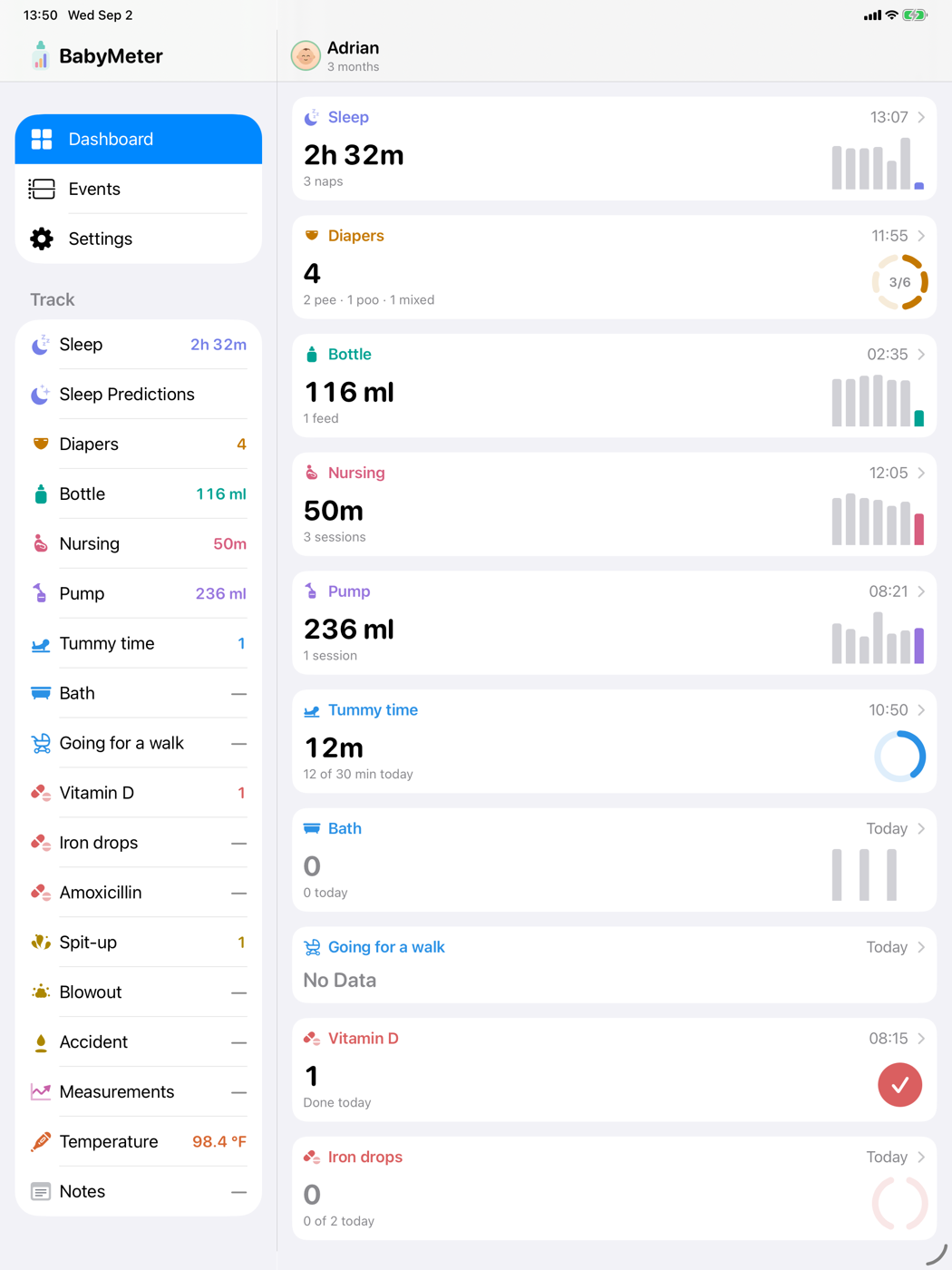
Everything at a glance
Today’s totals, recent activity and the past week stay visible together. Choose any type in the sidebar to open its full history.
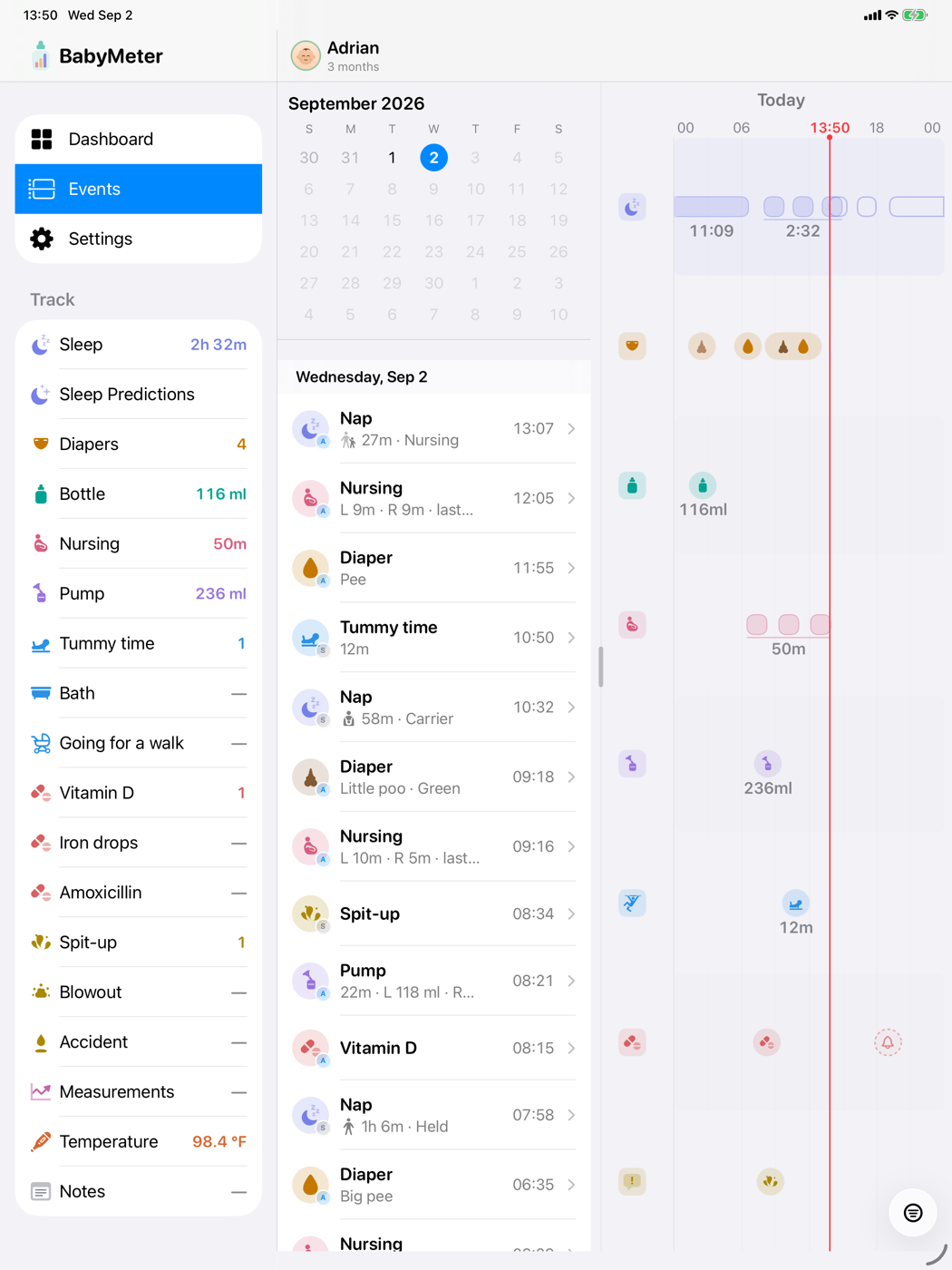
Calendar and day view—side by side
Pick a date, scan the day in order and open any entry without losing the surrounding history.
Small things that make a long day easier
- Photo notesAdd a rash, a milestone or a memorable mess to the entry.
- Milestone remindersA timely nudge when something new may be worth watching for.
- Corrected ageGrowth, sleep and milestones account for prematurity automatically.
- Visit reportA two-page PDF for the well-child checkup, built from what you logged.
- Temperature & feversKeep each reading and the method you used in one clear history.
- MedicationsKeep track of doses and the days each medication is due.
- Solids & activitiesMeals, tummy time, baths and walks—including how they went.
- iCloud syncYour log follows you across iPhone and iPad through your own account.
- Import & exportBring a Huckleberry history in and take your data out whenever you like.
Already tracking in Huckleberry?
Bring the history with you. BabyMeter imports feeds, sleep, diapers and more from your Huckleberry export, with the original times intact. Pick up where you left off instead of rebuilding the day from zero.
How: Export from Huckleberry → open BabyMeter → Settings → Data → Import. See the full walkthrough →
BabyMeter is an independent app and is not affiliated with, endorsed by, or connected to Huckleberry. Import works from a data file you export yourself.
Your family’s data stays with your family
No BabyMeter account. No ads, analytics or tracking. Your routine records live on your device and in your iCloud, where Apple syncs them between your devices. We don’t collect that log. Export it or delete it whenever you like.
Common questions
Can I bring my data over from Huckleberry?
Yes. Export from Huckleberry, then import that file in BabyMeter — feeds, sleep, diapers and more come across with their times intact.
Is this really not a subscription?
Really. The only purchase is a $9.99 family unlock. You approve it once through Apple; it never renews and there is nothing to cancel.
Why do all my medications remind me at the same time?
The free version sends one daily reminder listing everything still due. The $9.99 unlock gives each medication its own schedule and can remind you at every dose. The 14-day trial covers sleep predictions only.
How many caregivers can share a baby?
You and one other caregiver can share for free. Three or more caregivers requires the $9.99 unlock. Sharing is iCloud-only, so everyone needs an iPhone or iPad signed in to iCloud.
Where is my data stored?
On your device and in your own iCloud account. We don't run servers that collect your records, and there's no account to create.
Are the sleep predictions medical advice?
No. They’re estimates based on age and the sleep you log, meant to help you plan the day. They aren’t a diagnosis or a schedule your baby has to follow. Trust your judgment and your pediatrician.